


Logo Maker And Logo Creator 3D
4.8246.00 Reviews
App Specs
- Version
- 3.0.2
- Updated On
- License
- Free
- Downloads
- 5,000,000+
- Developer
- Firehawk
- Categories
- Art & Design
- Platform
- Android, iOS
Screenshots
 Analysis by AppCompare
When I need a quick visual identity for a small project, I want more than a pile of clip art: I need a mark that reads clearly at a glance and is easy to adjust without opening a full desktop design suite. That is the decision point for Logo Maker And Logo Creator 3D. It is a free art and design app from Firehawk, aimed at people who want to assemble a logo on a phone rather than build every element from a blank canvas. Its emphasis on templates and dimensional effects makes it a different kind of starting point from a general drawing app, though that convenience also means the result depends on how thoughtfully I customize the pieces.
Start with the job your logo needs to do
Before choosing a template, I’d decide where the logo will appear first. A small profile image, a label, and a storefront sign have different demands: fine lettering or subtle detail can disappear when reduced, while a bold symbol and readable name tend to survive. I would begin with the smallest intended use, then check that the design still makes sense at that scale instead of judging it only while zoomed in on the phone.
That practical test matters especially for a tool built around visual options. A striking effect can look appealing in the editor but compete with the business name once the design is shrunk. I’d treat depth as an accent, not the whole identity, and compare a dimensional version with a simpler one before settling on either. If the logo must work in a range of settings, the more restrained version may prove easier to reuse.
Where this app makes a quick start easier
The app’s template-led approach suits people who have a clear purpose but no settled design direction. A new seller preparing a temporary shop profile, a club making a simple event badge, or someone creating a personal channel identity can use a starting layout to get past the intimidating blank page. The useful part is not merely picking a design; it is having something visible to react to, so I can decide whether the type, color, and arrangement fit the project.
A realistic everyday workflow might begin during a lunch break: I choose a template for a small home bakery, replace its wording with the name, test a couple of color combinations, and check the result as a tiny avatar. If the name is hard to read, I can simplify rather than add more decoration. That quick loop—make a draft, inspect it at its real size, and remove what distracts—can be more valuable than browsing templates indefinitely.
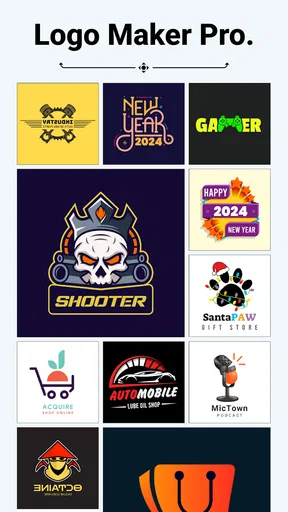
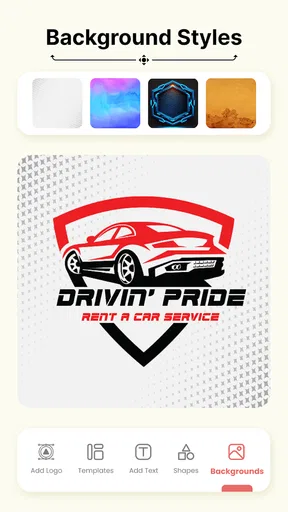
The library is described as containing more than five thousand logos, backgrounds, icons, and other graphic elements. That breadth can help when I want to explore several directions without collecting assets elsewhere, but it also makes selection a task of its own. I’d narrow the search by deciding on a mood and one recognizable visual idea first. Otherwise, a large assortment can encourage me to keep swapping elements instead of finishing a coherent mark.
As an art and design app, it focuses on assembling a logo rather than serving as an all-purpose illustration workspace. That distinction is useful for a first draft: I can work with ready-made building blocks and concentrate on the overall impression. It is less suited to someone who wants to draw a distinctive symbol stroke by stroke or build a carefully controlled brand system from scratch. In that case, a vector drawing tool or a broader design editor may offer a better fit.
Worth Reading Before You Choose

EA SPORTS FC Mobile 26 Is a Bigger Football Game, but It Takes Time

Flipboard Shows What News Apps Must Do Beyond the Feed

Switching to Android Auto Means Rethinking Your Driving Routine

Google Calendar Makes a Crowded Week Easier to Manage

Ludo King Makes the Most of the Minutes Between Plans

Baby Panda World Brings Quick Play to Modern Phones, but Its Game Library Feels Busy
What it feels like to build and refine a logo
I find the most useful part of building a logo is learning to separate a promising starting point from a finished design. In this section, I’ll focus on how I would refine a template with the intended use in mind, including a small but practical check: compare the mark in color and in a simpler, high-contrast treatment before settling on its final look.
First Impressions: Getting Started
Getting started with Logo Maker And Logo Creator 3D is as easy as pie. Right off the bat, the app welcomes you with a user-friendly interface that’s both intuitive and visually appealing. I was immediately drawn to the vibrant colors and clean layout. No clutter here, folks! It seems like the developers knew exactly what they were doing.
Once you launch the app, you’re greeted with a comprehensive tutorial. Now, I'm usually not one for tutorials—I like to dive right in—but this one was actually pretty handy. It’s concise, straightforward, and gives you a quick tour of the app’s features. Trust me, it’s worth the couple of minutes it takes to go through.
The Creative Process: Features and Tools
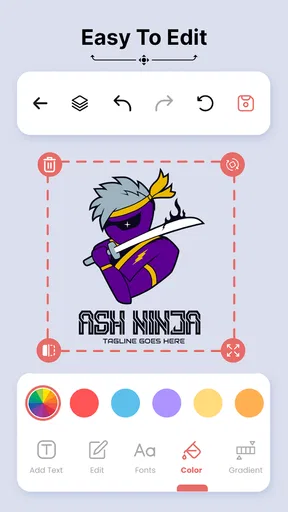
Now, onto the fun part: creating your masterpiece. The app features an extensive library of templates, which I found particularly useful. Whether you're looking for something minimalistic, modern, or downright funky, there’s a template for you. You can tweak these templates to your heart's content, changing colors, fonts, and layouts with a few taps.
One of my favorite features is the 3D element. You can add depth and dimension to your logos, making them pop like never before. The app offers a range of 3D effects, and experimenting with them is ridiculously fun. It's like playing with digital clay, molding your logo into something unique and eye-catching.
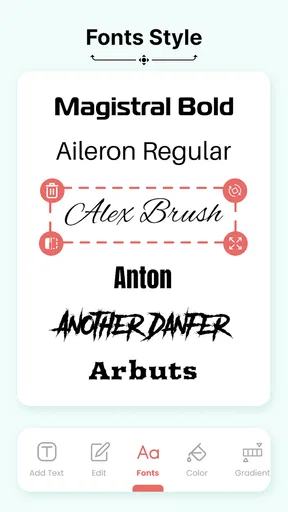
The font selection is another area where the app shines. With a vast array of fonts at your disposal, the sky’s the limit. I found myself playing around with different typefaces to see which one best conveyed the vibe I was going for.
Make deliberate choices instead of decorating by default
When I experiment with type, I try to settle the name and any short descriptor before adjusting the graphic details. That gives me a stable point of comparison: if the lettering already feels too ornate, adding a heavily dimensional symbol may make the whole mark harder to read. I’d also keep the number of competing styles low. A logo usually has to be recognized quickly, so combining too many visual ideas can work against the clarity a template is meant to provide.
A useful trade-off with 3D effects is that they can give a design a lively, finished feel, but they may not suit every use. A dimensional mark can look at home on a digital header or promotional graphic, while a plain, high-contrast version is often easier to reproduce in small spaces or simple print layouts. I would keep both approaches in mind while building, rather than assuming the most dramatic treatment is automatically the most practical.
Ease of Use: Navigating the App
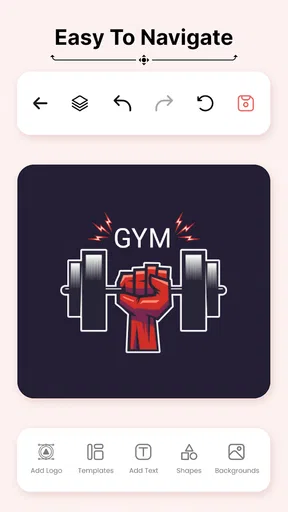
Navigating the app is a breeze. The developers have clearly focused on a smooth user experience. Everything is where you’d expect it to be, and I never found myself lost or frustrated. The tools are organized logically, and switching between different elements of your design is seamless.
One thing I appreciated is how responsive the app is. Whether you’re using a high-end device or something more basic, the app runs smoothly without any noticeable lag. This is a huge plus because there’s nothing worse than an app that can’t keep up with your creative flow.
How it compares with other ways to design
Compared with a blank-canvas drawing app, this is the faster route when I want a conventional logo layout and need visual starting points. A drawing tool makes more sense when the central symbol must be truly custom or when I want precise control over individual shapes. Compared with a general-purpose design editor, this app keeps attention on logo-making, which can reduce setup and decision overhead, but a broader editor may be preferable when the same project also needs posters, documents, or a consistent set of branded materials.
There is also a difference between making a logo and developing a full identity. A logo maker can help me produce a first mark, but a business that needs consistent rules for colors, typography, and use across many formats may benefit from a more deliberate design process. I would use this app to sketch and refine a simple concept, then consider a more flexible tool if the project grows beyond one logo or needs detailed control over how that identity is applied.
Saving and Sharing: Final Touches
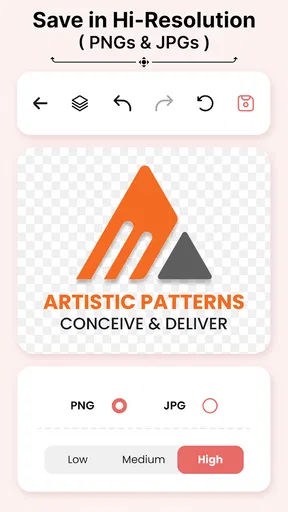
Once you’ve crafted your perfect logo, the app makes it easy to save and share your creation. You can export your logo in various formats, ensuring it looks crisp and professional wherever you use it. From social media to business cards, your logo will be ready to go.
Sharing your creation is just as simple. The app integrates seamlessly with social platforms, so you can show off your handiwork to friends and clients with just a couple of taps. Plus, if you’re collaborating with others, you can easily share your designs for feedback and further refinement.
Check the final file before relying on it
For an actual project, I would inspect the saved result in the place it is meant to appear rather than assuming that a good-looking editor preview settles everything. I’d check the name for spelling, make sure the symbol is not crowded by the edges, and view it at a small size. If I plan to print it, I would also confirm that the available export suits the printer or service I intend to use. The app’s saving and sharing options are convenient, but a careful handoff still depends on matching the output to the next step.
Another sensible habit is to keep a clean version of the design before trying more expressive effects. That gives me a point of comparison if later edits make the mark less readable. It also makes feedback more useful: instead of asking only whether someone likes the look, I can ask which version is easier to recognize and whether the name stands out. Those questions help separate personal taste from the practical job a logo has to do.
Price, platform fit, and the point where I’d switch tools
The app is free to download, with in-app purchases listed from $0.99 to $99.99 per item, so I’d explore the available workflow first and pay attention to which options are accessible before committing to a particular design direction. The current version is 3.0.2, and it requires Android 8.0 or later. It is rated for Everyone, which makes it broadly approachable, though that age label is not a substitute for an adult checking whether its purchase options are appropriate for a child’s device.
There is a real cost to changing tools halfway through a project: I may need to rebuild the layout, repeat color decisions, and recheck the exported result. To reduce that friction, I’d settle the wording and rough concept before investing time in effects. If the first draft shows that I need custom vector shapes, tight brand guidelines, or more control than a template-based workflow offers, switching early is better than polishing a direction that cannot meet the brief.
Who will get the most from it
I’d recommend it to a beginner, a hobby creator, or a small project owner who needs a presentable starting point without learning a complex design program first. It is especially handy when the goal is a quick draft for a profile, a modest side project, or a one-off visual that benefits from the app’s 3D style. Firehawk’s logo-focused approach is the main reason to choose it over a general drawing app: it gives the task a narrower, more approachable starting lane.
I’d skip it if the job depends on a highly original symbol, exact brand specifications, or a detailed identity package that must stay consistent across many uses. It may also frustrate someone who prefers total control over every curve and spacing decision. In those situations, the usual alternatives—vector illustration software for custom artwork or a general layout editor for broader brand materials—are more appropriate, even if they take more effort to learn.
Final Thoughts: Is It Worth It?
So, after spending some quality time with Logo Maker And Logo Creator 3D, what’s the verdict? Well, if you’re looking for an accessible, feature-rich app to create stunning logos, this one’s a winner. It combines an intuitive interface with powerful tools, making it suitable for both beginners and more seasoned designers.
Whether you need a logo for a new business, a personal project, or just for fun, this app has got you covered. The 3D features add a unique touch that sets it apart from the competition, and the ease of use makes it a joy to work with. So go ahead, give it a whirl, and unleash your inner designer!
My recommendation in a nutshell
Its audience figures suggest that many people have tried it: it has more than five million installs, a 4.8 average from around fifty-eight thousand ratings, and 212 written reviews. I see that as useful context, not proof that every project will turn out well. The better test is whether its template-first process matches the job you have in mind. I’d start with a simple draft, judge readability at the intended size, and only then spend time on decorative touches.
For a quick, approachable logo experiment, this is an easy app to consider. For a durable business identity with strict production needs, I would treat it as a starting point rather than the entire design process. That distinction keeps expectations realistic: it can help me get from an idea to a shareable visual, while careful choices—and sometimes a different tool—determine whether that visual works everywhere I need it.
Pros
- Intuitive interface for easy logo design.
- Wide range of templates available.
- High-quality export options.
- 3D effects add depth and style.
- Customizable color schemes.
Cons
- Limited free features without upgrade.
- Ads can be intrusive at times.
- Some templates feel generic.
- Occasional app crashes reported.
- Limited font customization options.
FAQs for Logo Maker And Logo Creator 3D
What features does Logo Maker And Logo Creator 3D offer?
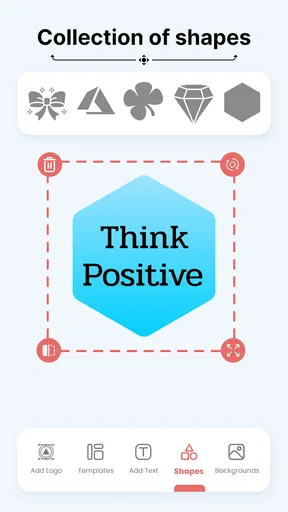
Logo Maker And Logo Creator 3D offers a vast array of features, including 3D text options, a comprehensive library of icons and shapes, customizable templates, and advanced editing tools. Users can experiment with gradients, shadows, and textures to create professional and eye-catching logos tailored to their brand or personal projects.
Is Logo Maker And Logo Creator 3D user-friendly for beginners?
Yes, Logo Maker And Logo Creator 3D is designed with an intuitive interface that makes it accessible for beginners. The app provides step-by-step guides and tutorials to help users navigate its features. Additionally, the drag-and-drop functionality allows for easy placement and adjustment of design elements, making it ideal for newcomers.
Can I export my logo designs in different formats?
Absolutely. Logo Maker And Logo Creator 3D supports exporting your final designs in various formats, such as PNG, JPEG, and PDF. This ensures you can use your logo for different purposes, whether it’s for a website, social media, or print materials. The app also allows for high-resolution exports to maintain quality.
Are there any in-app purchases or subscriptions required?
Logo Maker And Logo Creator 3D offers both free and premium versions. The free version provides basic tools and templates, while the premium version unlocks additional features and assets. Users can opt for a one-time purchase or a subscription model, offering flexibility based on their design needs.
Does the app provide customer support if I encounter issues?
Yes, the app offers robust customer support to assist users with any issues they may encounter. Support includes an FAQ section, email support, and a community forum where users can ask questions and share tips. Premium users may also have access to priority support for faster assistance.


